If your front desk still runs on a logbook, a shared spreadsheet and a group chat, you already know where it breaks: a double booking during Kadayawan, a room marked clean that isn’t, a guest who checks out before anyone confirms the GCash payment. A hotel management system (often called a property management system, or PMS) puts rooms, bookings and team updates in one place, so everyone works from the same picture.
This guide is for owners and managers of small and mid-sized hotels, resorts, inns and pension houses in Davao City, Samal Island and the wider Davao Region. It covers what a system should do, the questions to ask in a demo, and how to switch without disrupting your front desk.
Key takeaways
- Start with the room calendar. If staff can’t read availability in seconds, nothing else matters.
- Choose a cloud system that works on a phone and stays usable on slow mobile data.
- Ask which features are live today and which are planned, and get the answer in writing.
- Look for local onboarding and support you can reach during your busiest hours.
- Check how guest data is protected under the Data Privacy Act of 2012.
Signs your hotel has outgrown the logbook
- Two staff members give a guest different answers about availability.
- Double bookings surface only when the second guest arrives, usually on a peak weekend.
- Housekeeping status lives in someone’s head or a chat thread.
- Night-shift handovers depend on whoever wrote the clearest note.
- You can’t see today’s occupancy or sales without calling the front desk.
- GCash and bank transfer payments are hard to match to the right booking.
If three or more sound familiar, a system will likely pay for itself in saved time and fewer mistakes. It doesn’t need to be big or expensive. It needs to fit how your property already works.
What a hotel management system does, in plain terms
At its core, a hotel management system is a shared record of every room and every stay. Most systems build these areas around that core:
| Area | What it handles | Why it matters |
|---|---|---|
| Room calendar | Reservations, in-house stays and out-of-service rooms by date | Prevents double bookings; anyone can check availability |
| Front desk and reservations | Walk-ins, advance bookings, guest records and room rates | Faster check-in and consistent rates |
| Housekeeping | Cleaning assignments and room readiness | Rooms are ready when guests arrive |
| Payments and folios | Room charges, payment checks and checkout statements | Fewer billing disputes at checkout |
| Reports | Daily sales, occupancy and shift summaries | Owners see the business without calling in |
| Access and roles | Who can see or change what, plus an activity history | Accountability and fewer costly mistakes |
Small properties rarely need everything on day one. A clear room calendar and simple reports remove most of the daily friction.
8 things to check before you choose a system
1. A room calendar your staff can read at a glance
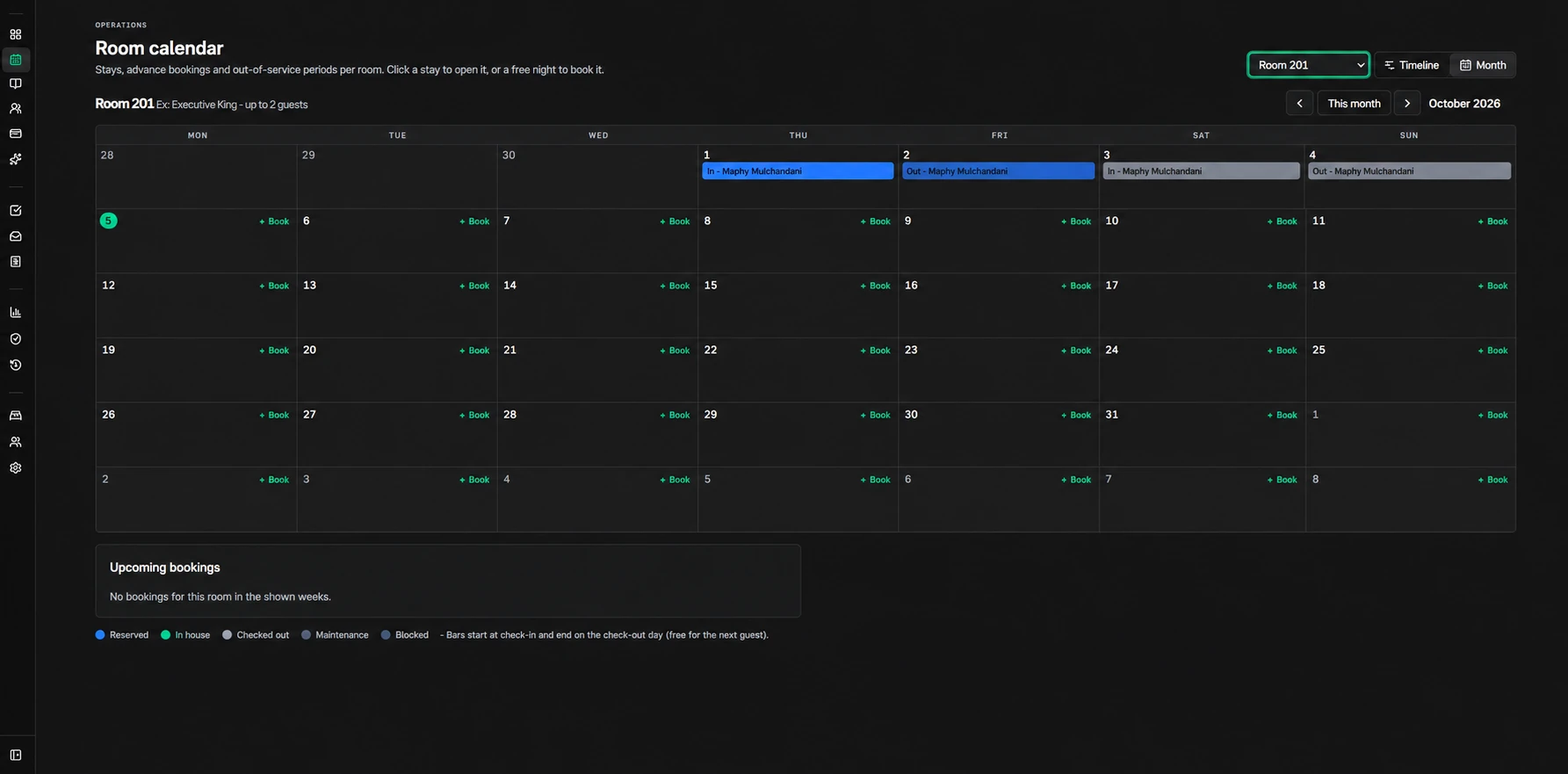
Ask to see a full month for one room and a timeline across all rooms. Reserved, in-house, checked-out and blocked nights should be obvious at a glance. If the person giving the demo has to explain the calendar, your night shift will struggle with it too.
2. It works on a phone, not only at the front desk
Many Davao owners manage from somewhere else: another business, a second property or home. Check that the system runs in a mobile browser, that urgent updates such as overdue checkouts or rooms not yet cleaned are easy to spot on a phone, and that staff don’t depend on one computer.
3. It stays usable on patchy internet
Connections on Samal Island, in the highlands or along the coast can drop at the worst moment. Ask how the system behaves on slow mobile data and keep a pocket Wi-Fi or mobile hotspot at the front desk. Whatever you choose, print the day’s arrivals list each morning as a backup.
4. It holds up on peak dates
Kadayawan in August, Christmas to New Year, Holy Week and long weekends are when a double booking hurts most. In the demo, simulate a busy weekend: book rooms back to back, move a stay, block a room for maintenance, and see whether conflicts are flagged before they reach a guest.
5. Honest answers about booking channels
If you sell rooms on Agoda, Booking.com or Facebook, ask exactly how those bookings reach the system. A direct channel connection, often through a channel manager, updates availability automatically. Manual entry means someone updates both places. Neither is wrong, but you should know which one you are paying for.
6. Roles, permissions and an activity history
Front desk, housekeeping, supervisors and owners need different access. An activity history shows who changed a booking or a rate, and when. That protects your business and your staff.
7. Local onboarding and support
Setup goes faster with a team that understands how Davao properties run: walk-in guests, GCash payments, family-run teams and staff who learn best in Bisaya or Filipino. Ask who will enter your rooms and rates, how your staff will be trained, and how to reach support during your busiest hours.
8. Clear peso pricing, data you own and privacy
Look for monthly or annual pricing in pesos, tied to something predictable such as the number of hotels and users. Ask about setup fees, what happens to your data if you cancel, and whether you can export bookings and guest records.
Guest names, phone numbers and ID details are personal information under the Data Privacy Act of 2012 (Republic Act No. 10173). Ask where the data is stored, who can access it, and how access is removed when a staff member leaves. The National Privacy Commission publishes guidance for businesses.
Questions to ask in every demo
- Which features are available today, and which are planned? Can you put that in writing?
- Can I try it with my real rooms and rates before paying?
- How do bookings from Agoda, Booking.com or Facebook get into the system?
- What happens when two people try to book the same room?
- Can I see today’s arrivals, departures and rooms to clean on my phone?
- How are staff accounts and permissions managed?
- Who sets it up, and how long does onboarding take?
- What does it cost per month or per year, and what isn’t included?
- Can I export my data if I leave?
- Does it issue official receipts or invoices? Confirm BIR requirements with your accountant before relying on any software for this.
Cloud system or installed software?
| Item | Cloud (web app) | Installed on one computer |
|---|---|---|
| Access | Any device with a browser, including phones | Usually only at the front desk |
| Updates | Applied by the provider | Often manual, sometimes paid |
| Backups | Handled by the provider (ask how) | Your responsibility |
| Upfront cost | Low; monthly or annual subscription | Higher; licence plus hardware |
| Internet | Required; plan a backup connection | Works offline on that one computer |
For most small hotels and resorts, cloud wins on access and maintenance. Just plan for connectivity with a mobile data backup at the front desk.
How to switch without disrupting the front desk
- Set up rooms and rates first. List every room, type, capacity and rate before going live.
- Enter future bookings. Copy every confirmed reservation from the logbook or spreadsheet, then check that the totals match.
- Run both for one week. Keep the old logbook alongside the new system during a quiet week, not a peak one.
- Train by role. Front desk, housekeeping and supervisors each learn only what they use.
- Review after 30 days. Note what staff skip or work around, and adjust the setup.
Avoid switching in late July or December, right before Kadayawan or the holiday rush.
Where Cielo fits
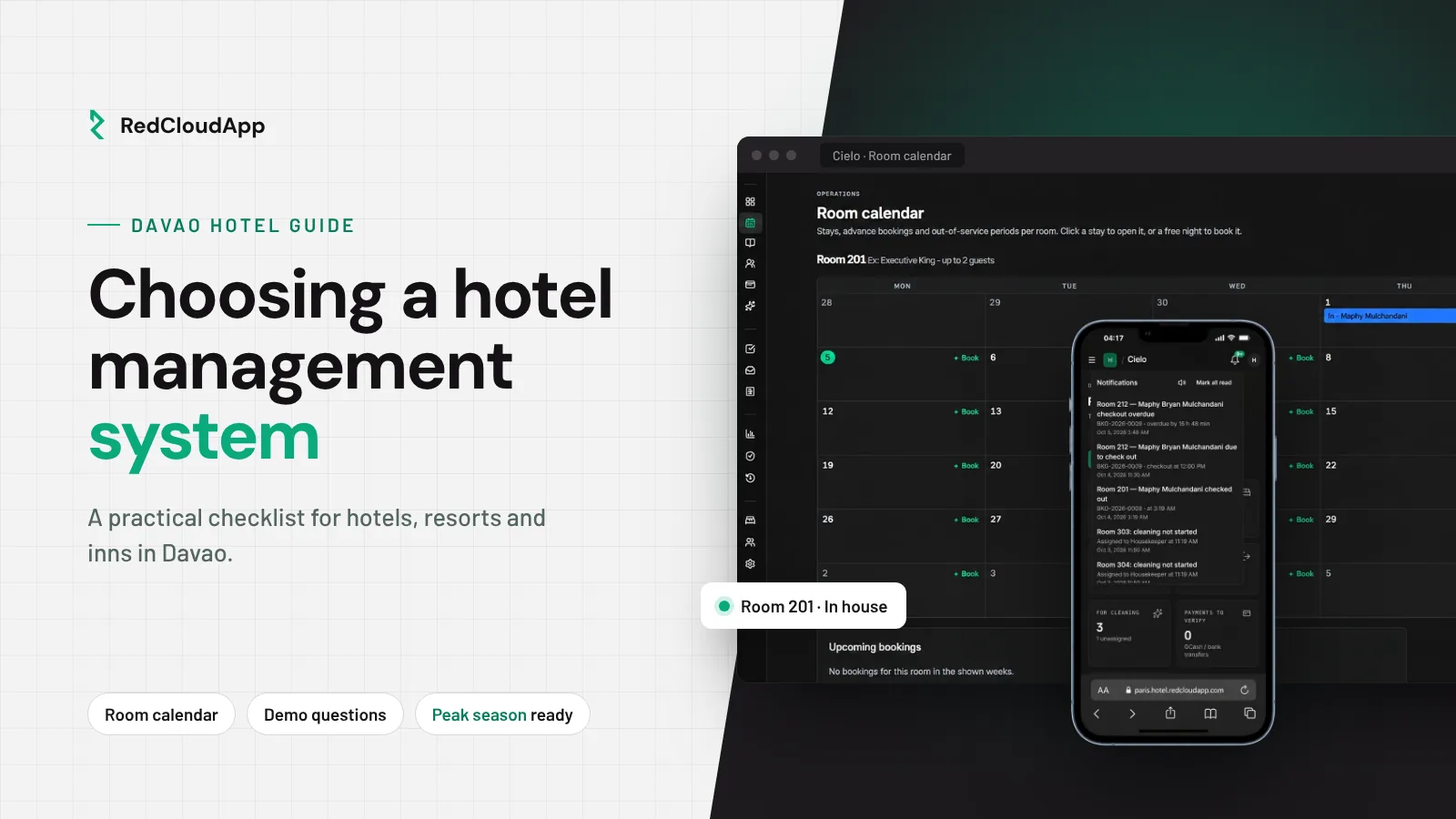
Cielo is RedCloudApp’s hotel management web app, built for Philippine properties. Its room calendar is available today: reservations, in-house stays and out-of-service periods by room, in a monthly view or a timeline across rooms. Front desk and reservations, housekeeping handovers, payments and guest folios, daily sales reports, and hotel access with approvals are on the roadmap. We confirm what is available for your property during your demo.
Plans start at ₱999 per month for one hotel and two users, with a 14-day trial and 20% off annual billing. Compare Cielo plans and features.
Running more than rooms? If your resort also has a restaurant or store, see POS setup for Davao stores and restaurants. For staff pay, see payroll setup for Philippine businesses. Need something specific to your property? Read about custom software development in Davao City, or browse business systems by industry.
Frequently asked questions
How much does a hotel management system cost in the Philippines?
It depends on the number of rooms, properties and users, and on the features you need. Cloud systems are usually billed monthly or annually. At the time of writing, Cielo plans start at ₱999 per month for one hotel and two users. Always ask what is included and whether there are setup fees.
Do small inns and pension houses need one?
If you have more than a handful of rooms or more than one person taking bookings, yes. The main benefit is one shared calendar, which prevents double bookings and makes shift handovers clearer.
Can I manage my hotel from my phone?
With a cloud system, yes. In the demo, check that the screens you use most, such as today’s arrivals, departures and room status, are easy to use on a phone.
Does Cielo connect to Agoda or Booking.com?
Ask us to confirm before you decide. Multiple room rate plans are on the Cielo roadmap, but a rate plan named after a booking channel does not mean a direct channel integration. Tell us which channels you use and we will confirm what is possible.
We are outside Davao City. Can RedCloudApp still help?
Yes. Davao City is our focus, but Cielo runs in the browser, so properties elsewhere in the Philippines can work with us through online demos and remote onboarding.
What should I prepare before a demo?
A list of your rooms and room types, your current rates, how bookings reach you today (walk-in, phone, Facebook, booking sites), and how many staff will use the system. It makes the demo specific to your property.