Walk into many small businesses in the Philippines and you will find the stock list in one of two places: a notebook behind the counter, or an inventory program installed years ago on one computer in the office. Both can work for a long time. Then the business opens a second branch, rents a bodega, or the owner starts spending more days away from the store, and the questions start. How many bags of cement are left? Did the branch already receive the delivery? Why does the count never match?
This guide compares cloud and offline inventory systems in plain terms, so you can decide which one fits your business today. It covers cost, branches, internet, backups and data safety, with a hardware store example and a simple plan for switching. We also explain why we rebuilt our own offline inventory system for the cloud after almost 10 years of use in real stores.
Key takeaways
- An offline system lives on one computer. A cloud system keeps one stock list online that every branch, bodega and phone can open.
- Offline can still be enough for a single store with the owner on site. Cloud fits better once you add branches, shifts or remote checking.
- Plan for internet outages with a simple fallback routine, whichever system you choose.
- Compare the full cost over two or three years, not just the first payment.
- Make sure you can export your data at any time, in writing.
What “offline” and “cloud” actually mean
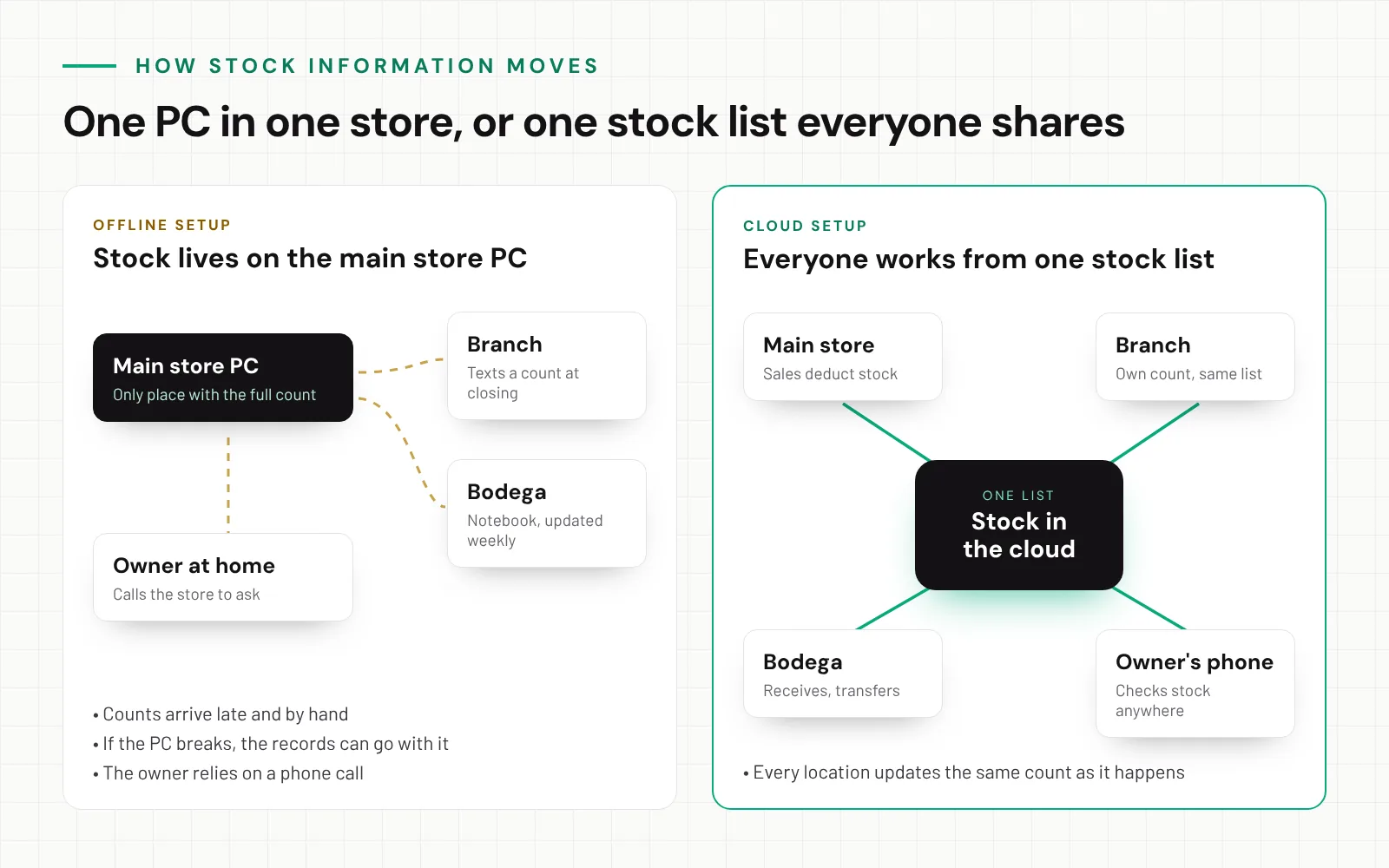
An offline inventory system is a program installed on one computer, usually in the main store. The stock list is saved on that computer. To see it, you have to be in front of it, or call someone who is.
A cloud inventory system keeps your stock list on secure servers online. You open it in a web browser on a phone, tablet or laptop, like you open Facebook or online banking. Every location updates the same list, so the main store, the branch and the bodega all see the same numbers.
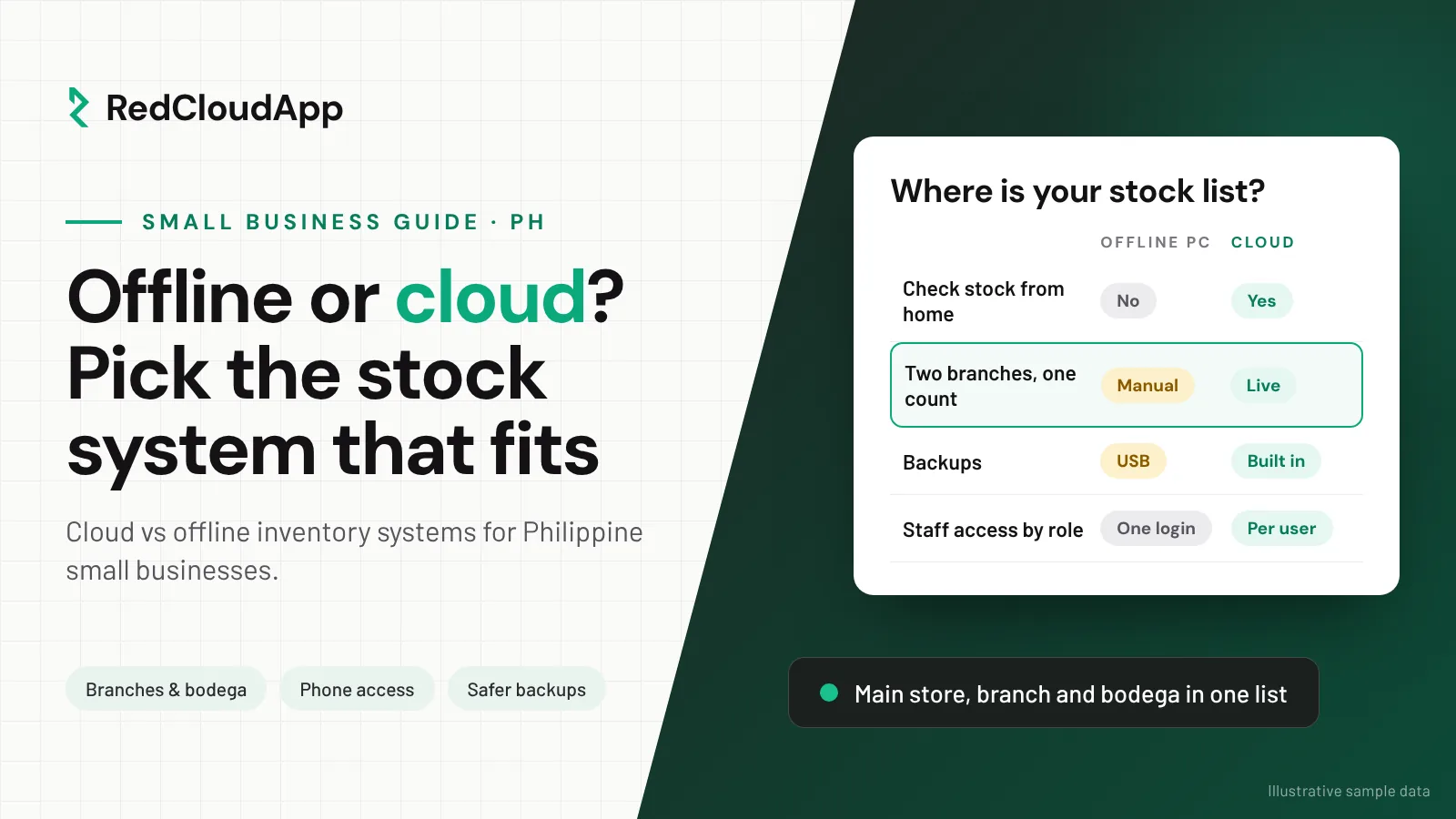
Cloud vs offline inventory: side by side
| Question | Offline system | Cloud system |
|---|---|---|
| Where is the stock list saved? | On one computer in the store | Online, on the provider’s servers |
| Can I check stock away from the store? | Only by calling someone | Yes, from a phone or laptop |
| Branches and bodegas | Each one keeps a separate count, combined by hand | All locations share one list, each with its own count |
| Backups | Manual, often a USB drive, if someone remembers | Part of the service (ask how often and where) |
| Updates and fixes | A technician visits or remotes in | Done by the provider online |
| If the computer breaks | Records can be lost with it | Log in from another device |
| Internet needed? | No | Yes, so plan a fallback for outages |
| How you pay | Often one-time, plus repairs and upgrades | Usually monthly or yearly |
When an offline system still makes sense
We build cloud software, but we will not pretend offline systems are always wrong. An offline program can still be the practical choice if all of these are true:
- You run one store and do not plan to add a branch or bodega soon.
- The owner or a trusted manager is on site every day.
- Your internet is unreliable and a backup line is not an option.
- Someone takes a backup of the computer every week and keeps it somewhere else.
If your current setup checks all four boxes and the counts match, it may not be time to switch yet. Keep the backups going.
When a cloud system is the better fit
Most growing businesses reach a point where one computer is not enough. Cloud is the better fit when:
- You have a branch, a bodega or a delivery truck that moves stock between locations.
- Several people receive, sell or count stock, on different shifts.
- The owner wants to check stock and sales from home or while travelling.
- You have lost data before, or worry about the old PC failing.
- You want low-stock alerts instead of finding out when a customer asks.
Real-world example
A hardware store with a branch and a bodega
Before
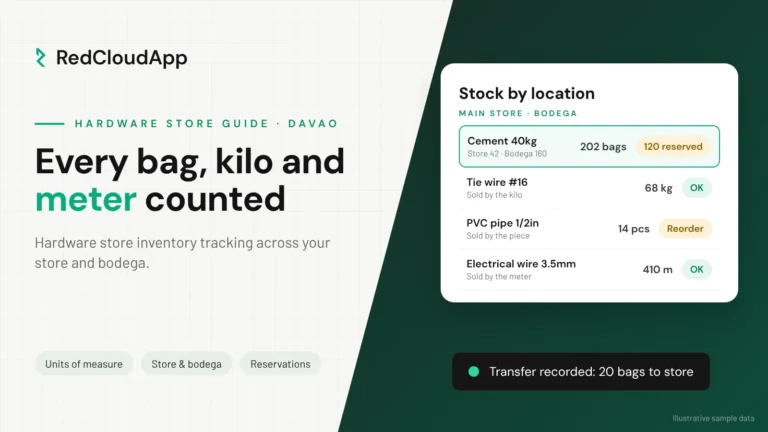
Imagine a hardware store in Davao City with a small branch in another barangay and a bodega for cement and steel. Stock lives on the main store computer. Every evening the branch texts its count. The bodega keeper updates a notebook once a week.
On a busy Saturday, a contractor orders 80 bags of cement. The main store shows 120, so the cashier says yes. The bodega had already sent 50 bags to the branch on Thursday, and nobody had entered it.
After
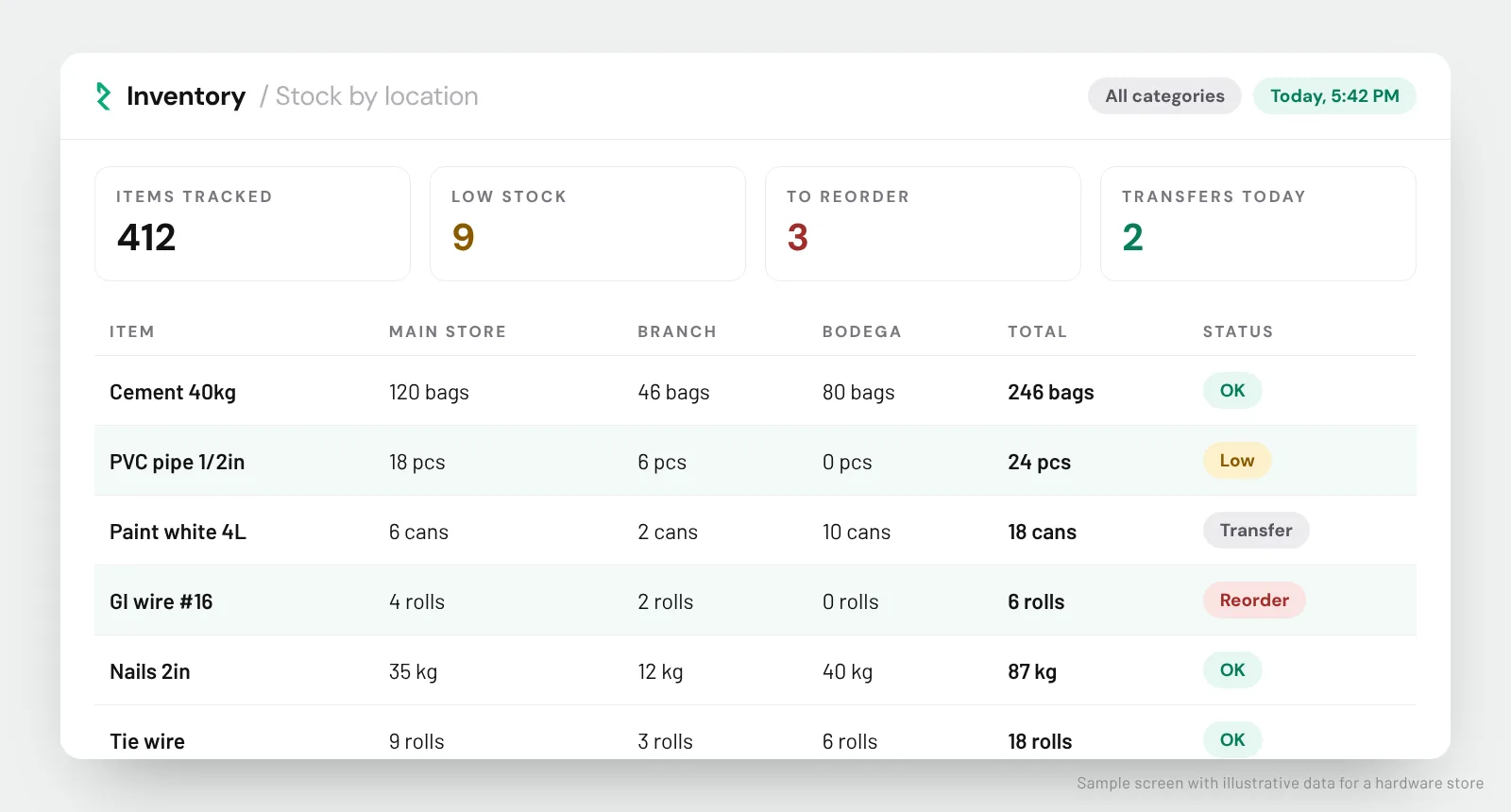
With one cloud stock list, the Thursday transfer is recorded when the truck leaves the bodega. The cashier sees the true count per location before promising the order.
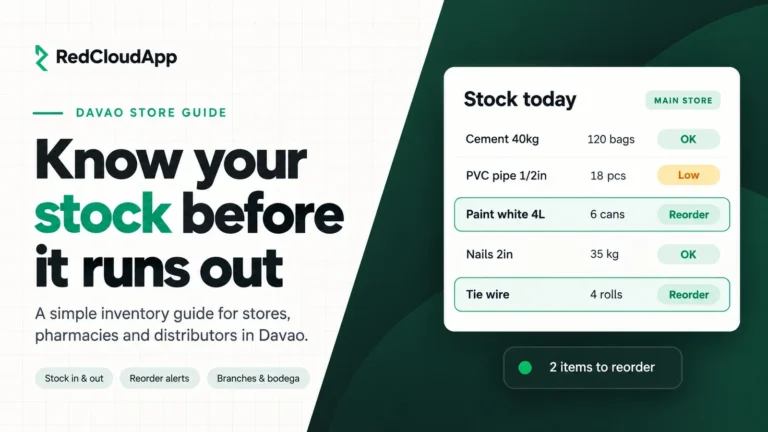
The owner checks the low-stock list on a phone on Sunday night and reorders PVC pipe and GI wire before Monday, instead of finding out from an unhappy customer.
Illustrative scenario, not a named client.
What about brownouts and internet outages?
This is the first question most owners ask, and it is a fair one. A cloud system needs a connection to save changes. Here is how to plan for it:
- Ask the vendor to show you what happens when the connection drops. Do not accept “it never goes down” as an answer.
- Keep a paper fallback. A simple slip for sales, deliveries and transfers, entered once the connection returns.
- Add a backup line. A pocket Wi-Fi or a phone hotspot from a different network costs little compared with a lost sale.
- Use a phone if the PC is down. Because the system runs in a browser, staff can keep working from a phone during a brownout.
With RedCloudApp, we review your internet setup at each location during the first meeting and agree on a fallback routine with your staff before go-live.
Cost: one-time purchase vs monthly fee
Offline programs often look cheaper because you pay once. The real comparison is the total over two or three years. Add up what the offline setup really costs you:
- Computer repairs and replacement when the old PC finally fails
- Technician visits for updates, errors and reinstalling
- Time spent combining branch counts by hand every week
- Stock lost to errors, double orders and items nobody knew were running out
A cloud system is usually a monthly or yearly fee that includes hosting, backups and updates. Ask every vendor for a written price that lists setup, training and the ongoing fee separately, so you can compare fairly. For a wider look at pricing, see our guide on what custom software costs in the Philippines.
Is my stock data safe in the cloud?
A well-run cloud system is usually safer than one office computer, because backups and security are part of the service. Still, ask these questions before you sign:
- How often is my data backed up, and where?
- Can each staff member have their own login, with access only to what their job needs?
- Is there a history of who changed a stock count, and when?
- Can I export all my items, movements and reports at any time?
- What happens to my data if I stop using the service?
Stock lists usually contain business data, not sensitive personal information. If your system also stores customer details, check your obligations under the Data Privacy Act with your adviser.
Why our cloud version starts from almost 10 years of real use
RedCloudApp’s inventory system did not start in the cloud. Its offline version has been used by several companies for almost 10 years. Hardware stores, food businesses and clinics showed us what daily stock work really needs: items sold in different units, deliveries checked against receipts, transfers between locations and counts that have to match at closing.
The cloud version keeps those proven workflows and makes them available on any device, across every branch and bodega. It is not a new idea looking for its first customer.
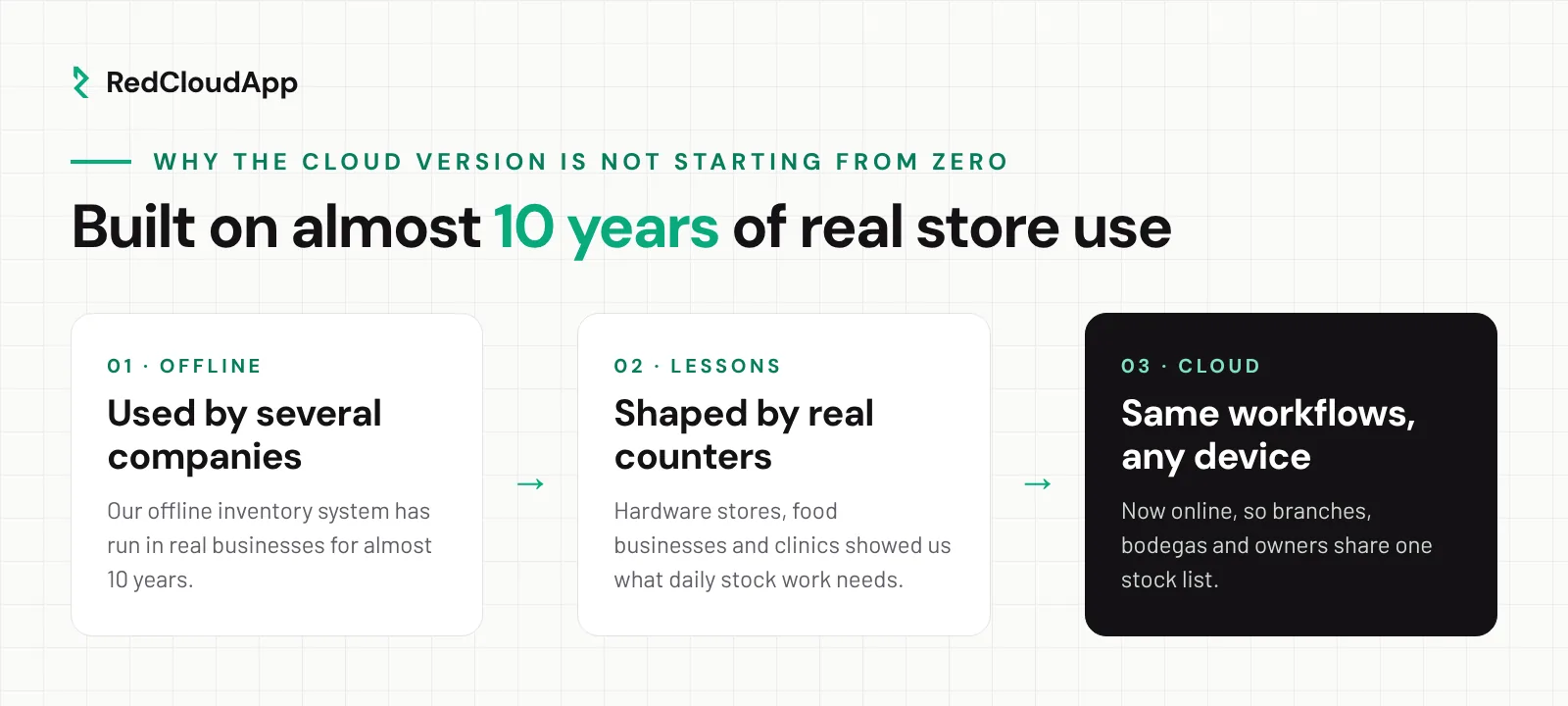
- Almost 10 yearsOur offline inventory system has run in real businesses for almost a decade.
- 3 sectors servedHardware stores, food businesses and clinics use our systems today.
- Set up from DavaoWe import your items, run the first count and train your staff with you.
How to switch without closing the store
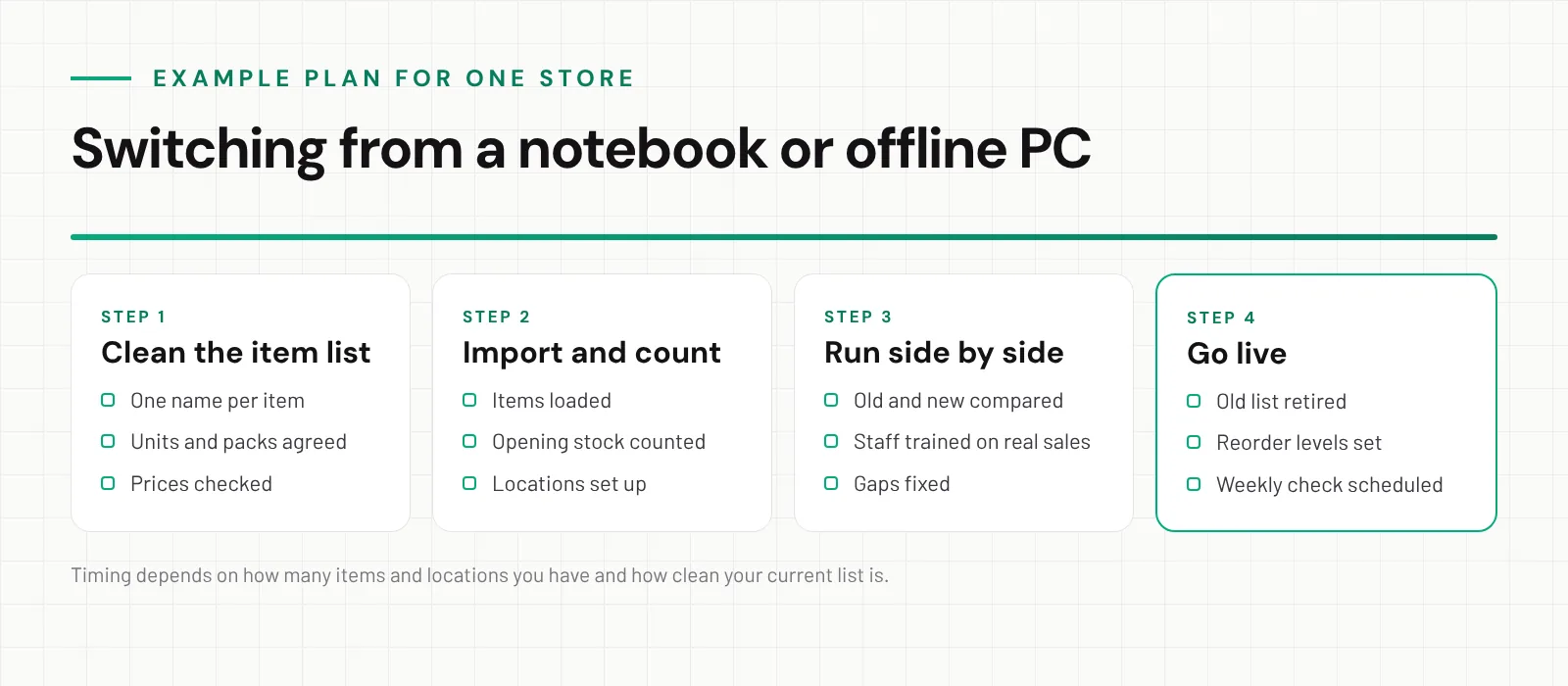
Switching is less disruptive than most owners expect, if you do it in this order:
- Clean the item list. Export what you have to Excel. Merge duplicate names, agree on units (bag, piece, kilo, box) and check prices.
- Import and count. Load the clean list, then do one full stock count per location to set the opening quantities. A Sunday or a slow afternoon works best.
- Run side by side. For one or two weeks, record sales and deliveries in the new system while the old one still runs. Compare totals at closing.
- Go live. Retire the old list, set reorder levels for your best sellers and schedule a short weekly count of fast movers.
Questions to ask in any inventory demo
- Can you load a sample of my real item list, not generic data?
- How do I record a transfer from the bodega to a branch?
- How are items sold in different units handled, like cement by bag or wire by kilo?
- What does a cashier see when an item is running low?
- What happens on screen when the internet drops?
- Can each staff member have their own login and limits?
- Can I export everything, and is that in writing?
If you also sell at a counter, read our POS setup checklist, and see how we work with hardware stores in Davao. When you are ready to compare, look at our cloud inventory software for Philippine small businesses.
Frequently asked questions
Is a cloud inventory system better than an offline one?
Not always. An offline system can be enough for one store where the owner is on site every day. A cloud system is the better fit once you have a branch, a bodega, staff on different shifts or an owner who needs to check stock while away from the store.
What happens to a cloud inventory system when the internet goes down?
It depends on the system, so ask every vendor to show you. Keep a simple fallback: write sales and deliveries on a slip and enter them when the connection returns. Many stores also keep a pocket Wi-Fi as a backup line.
Is cloud inventory software expensive for a small business in the Philippines?
Cloud systems are usually paid monthly or yearly, while offline programs are often a one-time purchase. Compare the full cost over two or three years, including computer repairs, technician visits, backups and updates. RedCloudApp sends a written price after a free demo.
Can I move my stock list from an offline program or Excel?
In most cases, yes. Export your item list to Excel or CSV, clean up duplicate names and units, then import it and run a fresh stock count to set the opening quantities.
Who owns my data in a cloud inventory system?
You should. Ask the vendor in writing whether you can export all items, stock movements and reports at any time, including if you stop using the service.
Does RedCloudApp’s inventory system work for hardware stores?
Yes. Hardware stores are one of the sectors our systems already serve, along with food businesses and clinics. It handles items sold in different units, several locations and reorder alerts.