Ask a hardware store owner in Davao how many bags of cement are left, and you will often get two answers: the number in the notebook, and the number after someone walks to the bodega to check. The gap between those two numbers is where hardware stores lose money. Nails sold by the kilo from a box bought by the case. Wire cut by the meter from a roll. A contractor’s order set aside but never written down. Each one is small. Together, they are why the count never matches at the end of the month.
This guide explains hardware store inventory tracking in plain terms: how to record items you buy in one unit and sell in another, how to keep the store and the bodega in one count, how to handle contractor orders, and how to count without closing the store. It is written for owners and managers of hardware, construction supply, electrical and plumbing stores, whether you run one counter or three branches.
Key takeaways
- Most hardware stock problems come from units: buying by the roll, box or bundle and selling by the meter, kilo or piece. Set the conversion once and let the system do the math.
- Treat the store and the bodega as two locations in one list. Record every transfer when the item moves, not at the end of the week.
- Write down contractor reservations the moment you promise them, or you will sell the same 80 bags twice.
- Count your 20 fastest movers every week. Save the full count for the end of the year.
Why hardware stores are harder to track than most shops
A sari-sari store sells a can of sardines and the count goes down by one. A hardware store is different. The same item can come in as a 25-kilo box and leave as half a kilo in a paper bag. Long items like rebar, pipes and lumber are often stored in the bodega, not on the shelf. Big customers order ahead and pick up in parts. And there are hundreds of small items that look alike: screws in ten sizes, fittings in five diameters, wire in three gauges.
A notebook or a basic spreadsheet can handle a few of these. It cannot handle all of them at once, every day, with three people at the counter. That is when owners start trusting their eyes more than their records.
Step 1: Set up units of measure once
A unit of measure is simply how you count an item: by the bag, the piece, the kilo or the meter. In a hardware store, most items have two: the unit you buy from your supplier and the unit you sell to your customer. If your records only track one, the numbers drift every time you open a box.
The fix is to record both units and the conversion between them, once, when you add the item. When a 25-kilo box of nails arrives, stock goes up by 25 kilos. When the cashier sells 2 kilos, stock goes down by 2. Nobody has to divide in their head at closing time.
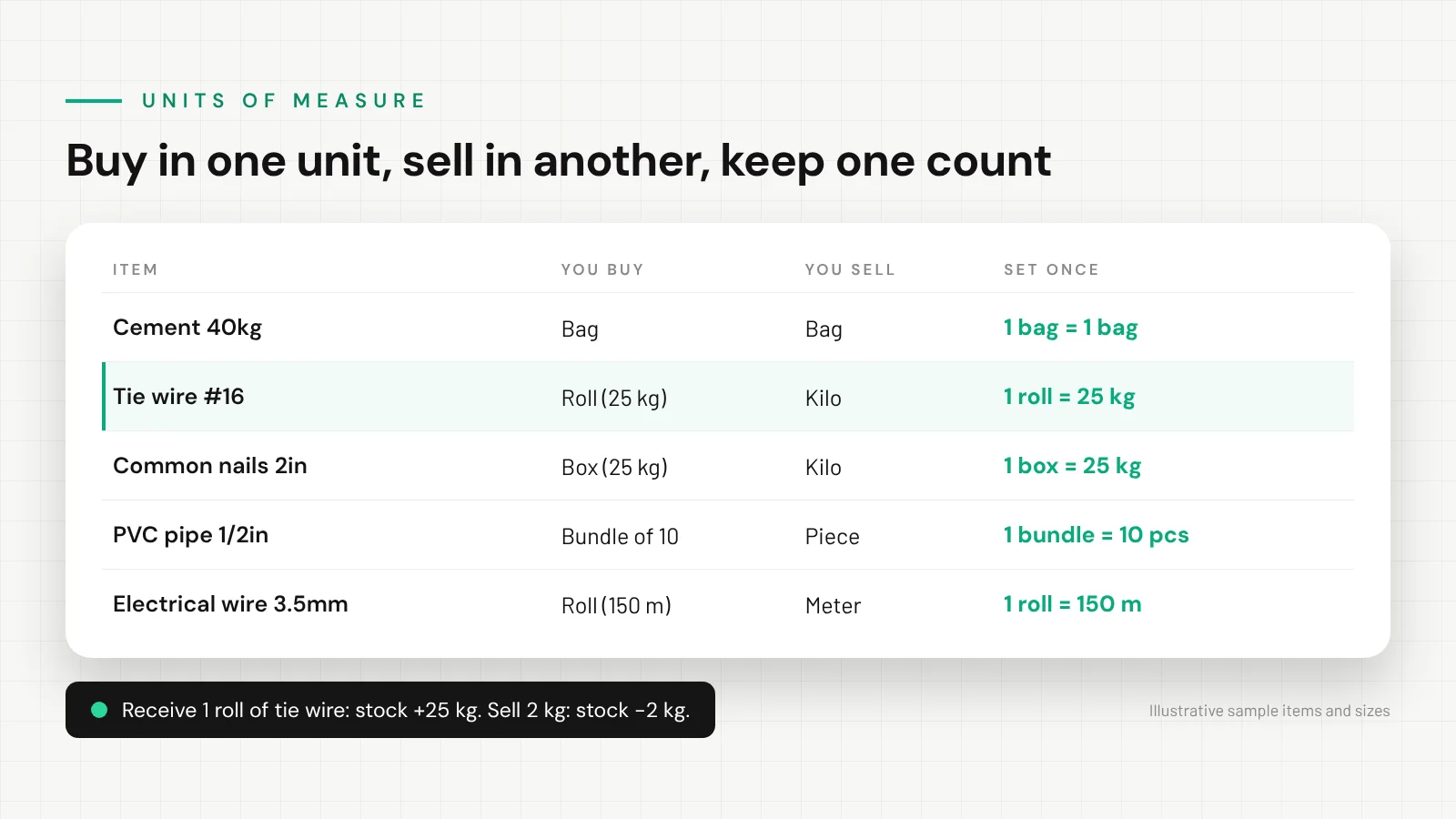
Start with the items that cause the most arguments: nails, tie wire, electrical wire, chain, rope and anything sold loose. Get those right and most of your monthly gap disappears.
Step 2: Make the store and the bodega one list with two counts
Many Davao hardware stores keep fast movers at the counter and bulk stock in a bodega down the street or at the back. The mistake is tracking them as two separate lists that someone combines on Saturday. By then, the counter has already promised stock that was moved, sold or damaged days ago.
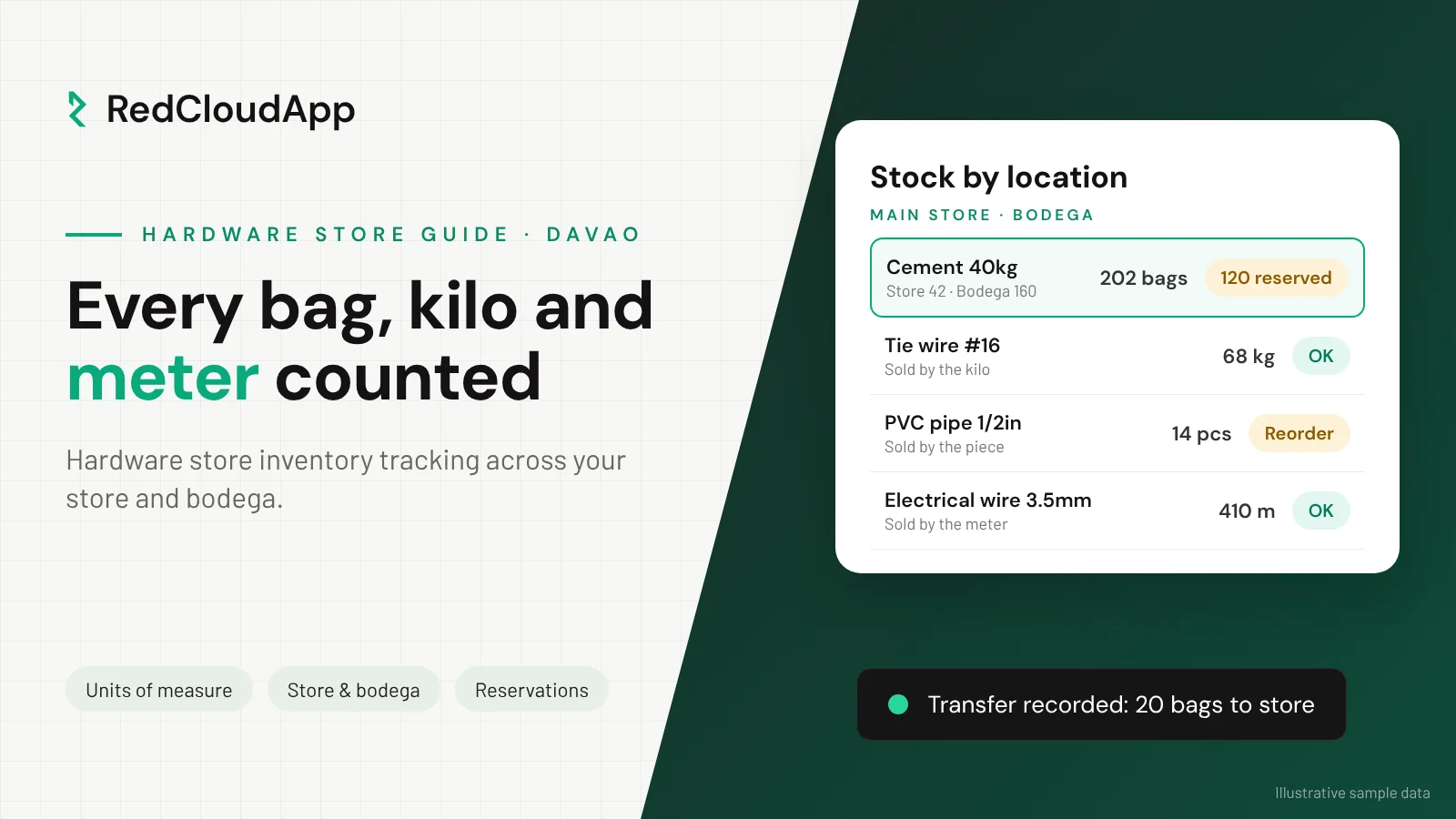
Instead, keep one item list with a separate count per location. Cement 40kg exists once in your records, with a number for the store, a number for the bodega and a number for each branch. When ten bags move from the bodega to the store, record a transfer: one location goes down by ten, the other goes up by ten, and the total stays the same. The cashier sees exactly where the stock is before saying yes to a customer.
- Every location (store, bodega, branch, delivery truck) has its own count.
- Transfers are recorded when the item leaves, by the person moving it.
- The receiving side confirms the quantity that actually arrived.
- Damaged or returned items are recorded as adjustments with a reason, not quietly removed.
Step 3: Record contractor orders the moment you promise them
Contractors and builders are often a hardware store’s best customers. They also create the most confusion. A contractor pays a deposit for 200 bags of cement, picks up 50 this week and the rest over the next month. If those 150 bags are not set aside in your records, the counter keeps selling them to walk-in customers.
The simple rule: a promise is a stock movement. Record the reservation when the deal is made, release stock as each pickup happens, and keep the balance visible to everyone at the counter. Tie it to the customer’s name and the amount already paid, so the cashier knows what is still owed.
Real-world example
A Davao hardware store with a bodega and a big contractor order
Before
Imagine a hardware store near a busy road in Davao City, with a bodega two blocks away. The owner keeps stock in a notebook. A contractor reserves 120 bags of cement for a house project and picks them up in batches.
Nobody writes the reservation down. Two weeks later, the contractor’s truck arrives for the last 40 bags. The bodega has 15. The rest were sold to walk-in customers who saw “plenty” in the notebook. The owner buys emergency stock from a competitor at a higher price to keep the contractor happy.
After
With one inventory list, the 120 bags are reserved under the contractor’s name the day the deposit is paid. The counter sees “available to sell” and “reserved” as two separate numbers.
Each pickup releases stock from the bodega count. When available cement drops below the reorder level, the owner gets a low-stock alert on the phone and orders from the supplier on Monday, not in a panic on Saturday.
Illustrative scenario, not a named client.
Step 4: Set reorder levels for the items you cannot run out of
A reorder level is the quantity that tells you it is time to order again. It should cover what you sell while you wait for the next delivery, plus a small buffer. If you sell about 30 bags of cement a day and your supplier delivers in two days, a reorder level of around 80 bags gives you room for a busy weekend.
You do not need reorder levels for every screw in the store. Start with the 20 to 30 items that customers expect you to always have: cement, steel bars, hollow blocks if you carry them, GI sheets, common nails, tie wire, PVC pipes and the most common fittings. Review the levels before the busy months, when construction picks up.
| Item type | How it is usually lost | What to track |
|---|---|---|
| Loose items (nails, screws, tie wire) | Sold by estimate, scale not used, small amounts given free | Sell by weight, record every sale in kilos |
| Cut items (wire, chain, rope, hose) | Leftover ends not recorded, cuts rounded up | Sell by the meter, record offcuts as adjustments |
| Bulk items (cement, steel, blocks) | Reservations not written down, breakage in the bodega | Reservations per customer, damage with a reason |
| Small fittings and parts | Similar items mixed up, wrong code at the counter | Clear item names and sizes, barcodes where possible |
Step 5: Count a little every week instead of everything once a year
Closing the store for a full count is expensive and tiring, so most owners put it off. A better habit is a cycle count: count a small group of items every week, on a quiet morning, and fix the differences right away. Your 20 fastest movers get counted every week. Slower items get counted once a month. By year-end, the full count is a check, not a rescue mission.
- Pick the list. Choose this week’s items: fast movers plus one shelf or one bodega section.
- Count before opening. Two people, one counts and one checks. Do not look at the system number first.
- Compare and find the cause. A missing transfer, a sale in the wrong unit, a damaged bag. Fix the cause, not just the number.
- Adjust with a reason. Record the correction with a note, so you can see patterns over a few months.
For the big end-of-year count, see our year-end inventory count checklist.
Notebook, spreadsheet or inventory system?
A notebook works for a small single store where the owner is always at the counter. A spreadsheet helps once you have a few hundred items, but it breaks down when several people update it, or when the store and bodega need the same file at the same time.
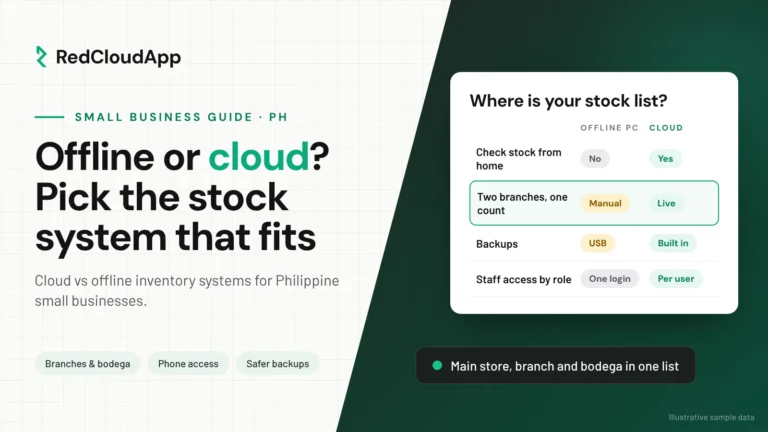
An inventory system makes sense when you have a bodega or a branch, staff on different shifts, contractor accounts or an owner who wants to check stock from home. A cloud system runs in the web browser, so the counter, the bodega and the owner’s phone all see the same numbers. If you are deciding between an installed program and a cloud one, read cloud vs offline inventory systems first.
How RedCloudApp helps hardware stores
RedCloudApp’s inventory system started with hardware stores. Its offline version has been used by several companies for almost 10 years, and hardware stores are one of the sectors it still serves today, along with food businesses and clinics. The cloud version keeps what those stores taught us: items sold in different units, stock per location, transfers between store and bodega, and low-stock alerts on your phone.
In the demo, we load a sample of your own items, including your trickiest loose and cut items, and show you how they would be recorded. Anything specific to your store, like contractor billing or delivery tracking, we confirm in writing as included, setup work or a custom addition before you decide. See our online inventory software for Philippine small businesses, or the full hardware store POS and inventory system in Davao.
- Almost 10 yearsOur offline inventory system has run in real businesses for almost a decade.
- Hardware firstHardware stores, food businesses and clinics use our systems today.
- Set up from DavaoWe import your items, run the first count and train your counter and bodega staff.
Hardware store inventory checklist
- Every item has a buying unit, a selling unit and a conversion.
- Store, bodega and each branch have their own count in one list.
- Transfers are recorded when stock leaves, and confirmed when it arrives.
- Contractor reservations are recorded under the customer’s name.
- Reorder levels are set for the 20 to 30 items you cannot run out of.
- Fast movers are counted every week, with differences explained.
- Damage, returns and offcuts are recorded with a reason.
Frequently asked questions
What is the best way to track inventory in a hardware store?
Keep one item list with a separate count for the store, the bodega and each branch. Record each item’s buying and selling unit, record transfers when stock moves, and count your fastest movers every week. An inventory system that runs on a phone makes this easier once several people handle stock.
How do I track items I buy by the box but sell by the kilo?
Record the conversion once when you add the item, for example one box equals 25 kilos. Receiving a box adds 25 kilos to stock, and each sale deducts the kilos sold. This works the same way for wire by the meter and pipes by the piece.
How often should a hardware store count its stock?
Count your 20 to 30 fastest-moving items every week and slower items about once a month. Do one full count at the end of the year. Small regular counts catch problems early, before they become a big gap.
How do I stop selling stock that a contractor already reserved?
Record the reservation under the contractor’s name when the deal is made, and show “available to sell” separately from “reserved” at the counter. Release stock from the reservation as each pickup happens.
Does RedCloudApp’s inventory system work for hardware stores in Davao?
Yes. Hardware stores are one of the sectors our systems already serve. We are based in Davao City, so we can meet you at the store, load your items, run the first count with your staff and train your team. We also set up stores elsewhere in the Philippines online.