In many small businesses, month-end looks the same. Receipts collect in an envelope. Sales sit in a notebook or a POS report. One person keeps an Excel file that only they fully understand, and the accountant sends a list of questions every time it arrives. Nobody planned it this way. It grew one sheet at a time.
This guide explains what an online accounting system does for a small business in the Philippines, what “automated” really means, what to check before you choose one, and how to move from Excel without losing a month of records. No accounting background needed.
Key takeaways
- An online accounting system records each sale, expense and bill once, then updates your totals and reports from that single entry.
- “Automated” mostly means less retyping. It does not replace your accountant or file your taxes.
- Look for clear owner reports, roles and approvals, a change history and easy exports for your accountant.
- Confirm BIR and tax questions with your accountant before you switch.
- Start on the first day of a month or quarter, with opening balances your accountant agrees with.
What is an online accounting system?
An online accounting system is accounting software that runs in a web browser. It keeps your sales, expenses, supplier bills and reports in one place online, so you, your staff and your accountant work from the same numbers. Because it is online, you can check it from a phone or laptop, and backups are part of the service.
Think of it as one shared notebook that adds itself up, shows who wrote each line and never gets left in someone’s bag.
Signs you have outgrown Excel
- Month-end takes days because receipts and sales have to be typed in again.
- Only one person can update the file, and the business stops when they are on leave.
- Totals do not match because a formula was overwritten.
- You cannot answer “how much do customers owe us?” without someone checking first.
- Your accountant spends their time asking questions instead of reviewing.
- You have two branches or two stalls and combine their numbers by hand.
What “automated accounting” really means
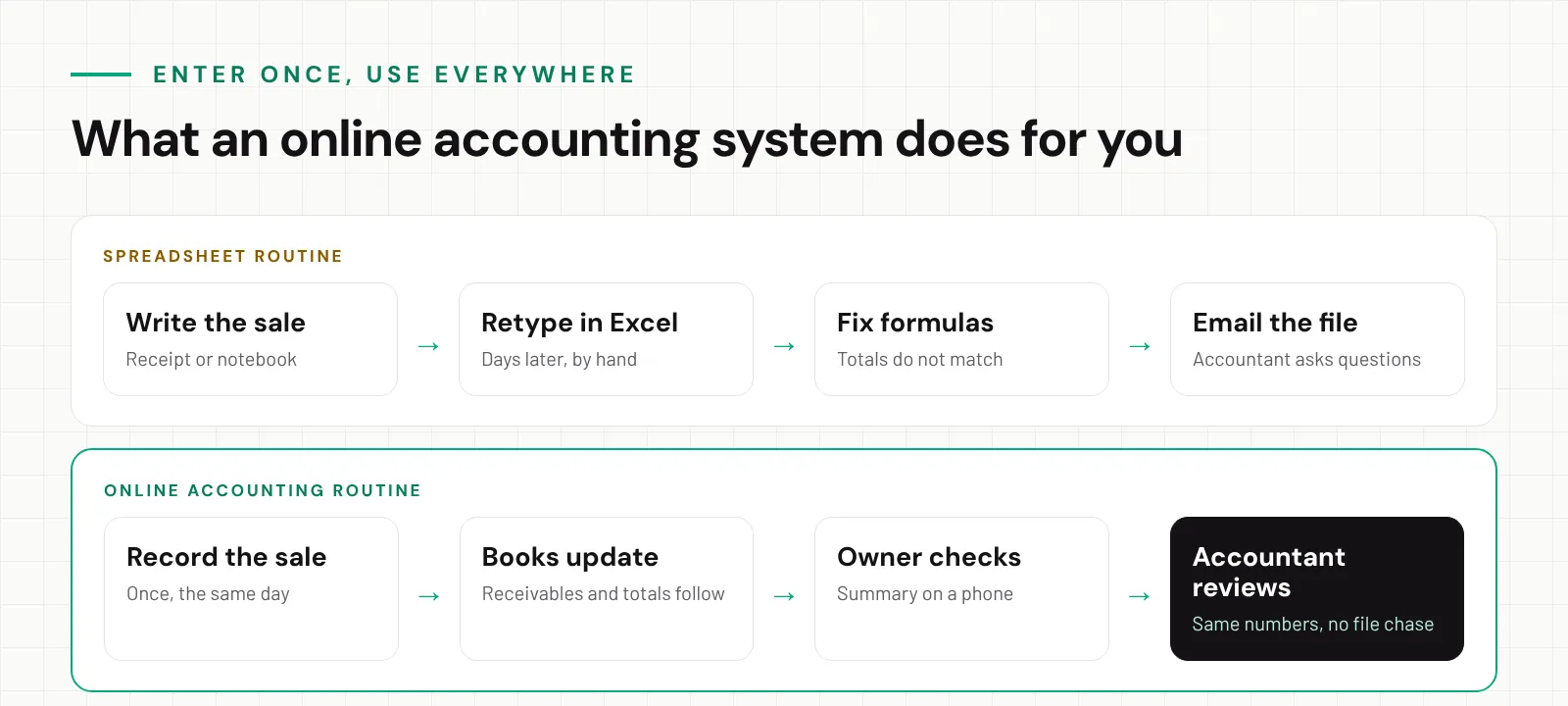
Search for accounting software and you will see the word “automated” everywhere. In practice, it means the system does the repetitive parts so people can focus on checking:
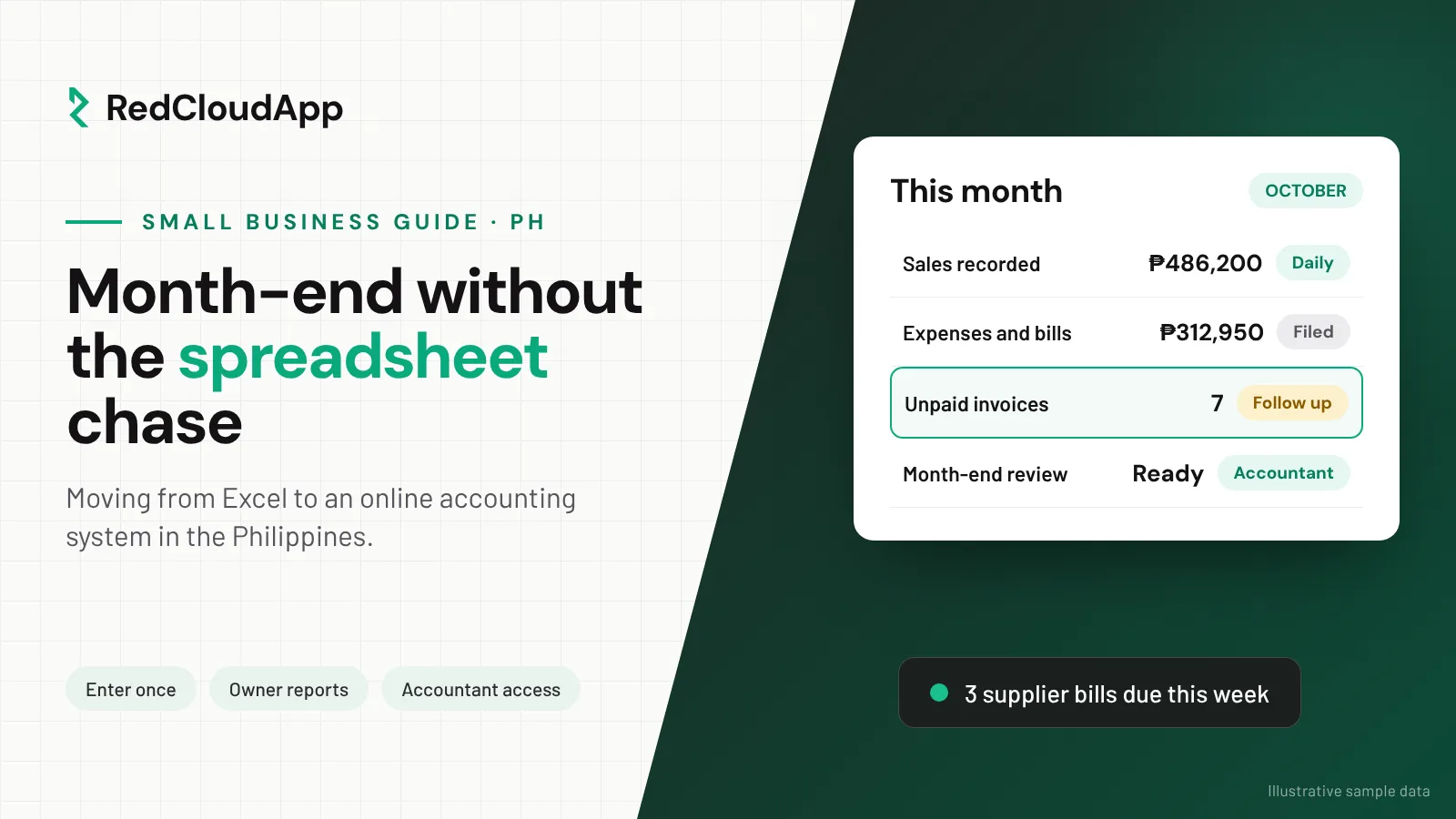
- Enter once. A sale or bill recorded once flows into your totals, what customers owe, what you owe suppliers and your reports.
- Totals that add themselves. No formulas to break.
- Recurring items. Rent, utilities and subscriptions can be set up once.
- Reminders. See which invoices are unpaid and which bills are due this week.
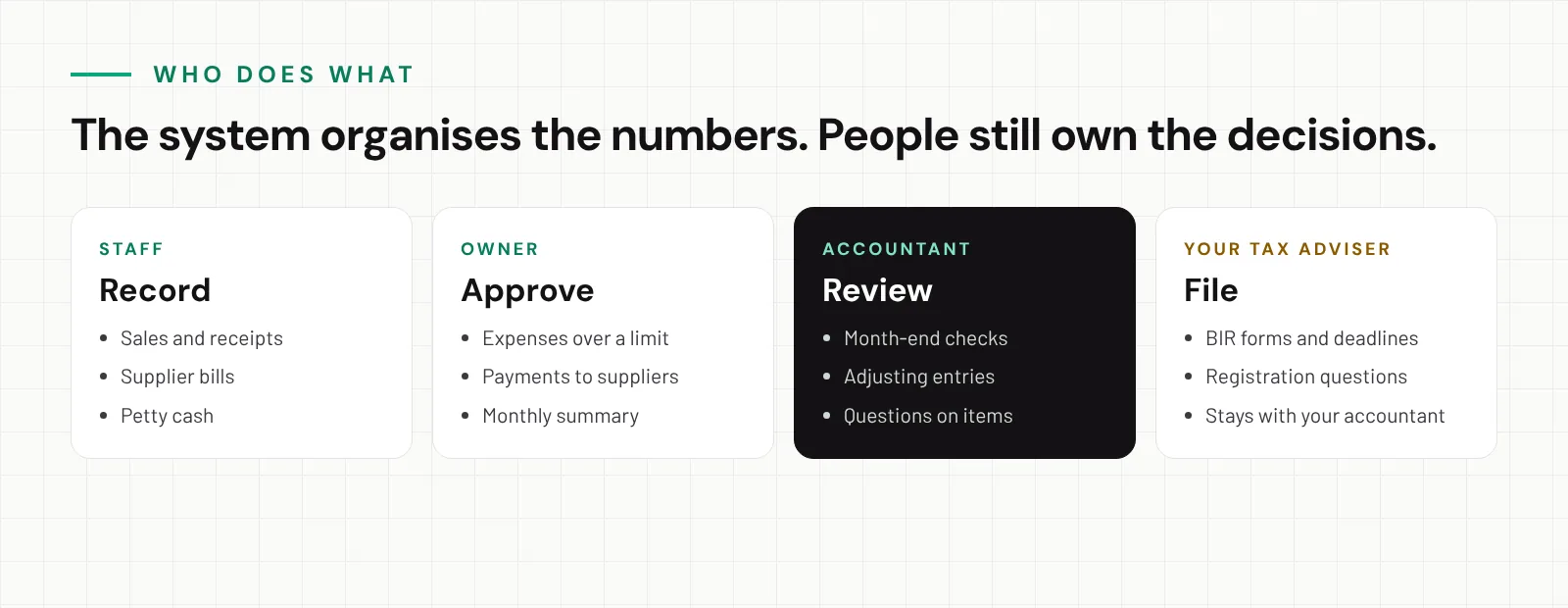
What it does not do: decide how to classify an unusual expense, approve spending, or file your returns. Those stay with you and your accountant.
Real-world example
A food business with two stalls
Before
Imagine a small food business in Davao with two stalls and a commissary kitchen. Each stall writes sales in a notebook. Supplier receipts go in an envelope. Every Sunday the owner’s sister types it all into Excel.
At the end of the quarter, the accountant finds missing receipts and a supplier bill counted twice. The owner cannot say which stall made more money until the file is fixed.
After
Each stall records its daily sales in the online system before closing. Supplier bills are entered when they arrive and marked paid when settled.
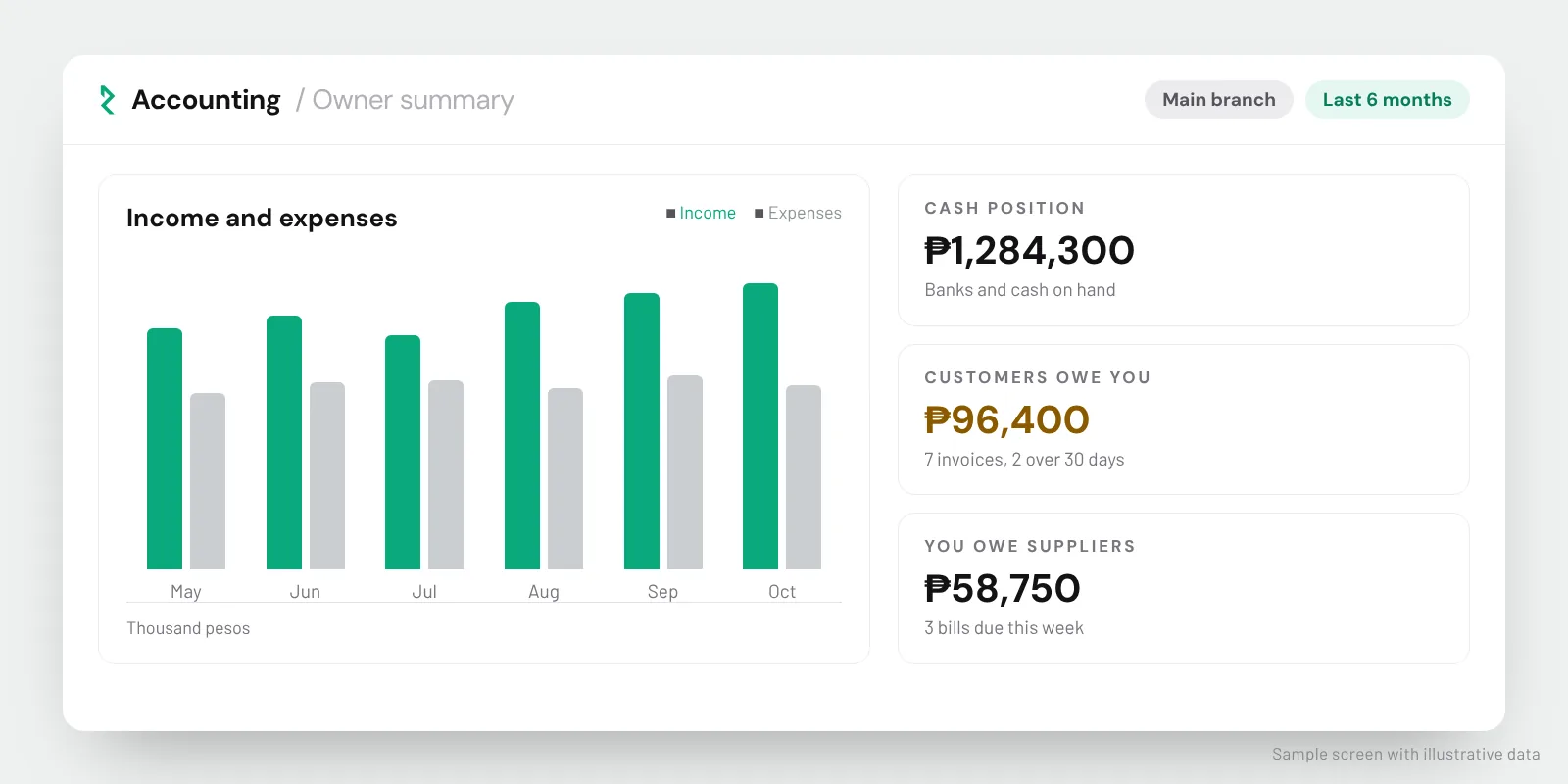
On Monday morning the owner checks a summary on her phone: sales per stall, expenses, and three bills due this week. At month-end, the accountant logs in and reviews the same numbers instead of waiting for a file.
Illustrative scenario, not a named client.
What to look for in an online accounting system
1. Sales and what customers owe you
You should be able to record daily sales, issue invoices to customers who pay later and see who still owes you, and for how long. Ask how cash, card, GCash and bank transfer payments are recorded.
2. Expenses and supplier bills
Look for a simple way to record supplier bills, petty cash and recurring expenses, and to mark them paid. A list of bills due this week prevents late payments and surprise penalties.
3. Reports an owner can read
Accounting reports can be dense. Ask for a simple owner view: income and expenses by month, cash on hand and in the bank, what customers owe and what you owe. If the demo needs an accountant to explain the main screen, keep looking.
4. Roles, approvals and a change history
Each person should have their own login with access to what their job needs. Bigger expenses may need the owner’s approval. An audit trail (a history of who entered or changed each record, and when) protects everyone and makes mistakes easy to trace.
5. Access and exports for your accountant
Your accountant or bookkeeper should either log in with their own access or receive clean exports they can work with. Ask what formats are available, and show the export to your accountant before you decide.
6. Connection with your POS and inventory
If you already use a POS or an inventory system, ask whether sales and stock can connect to the accounting system, and get the answer in writing. A connection that “might be possible later” is not a connection.
BIR and tax questions: who does what
Tax rules depend on your registration, your type of business and the exact software and receipts you use. A good accounting system makes your accountant’s work easier, but it does not take on their responsibility. Before you switch, ask your accountant:
- Which BIR rules apply to the software and receipts we plan to use?
- Which reports and exports do you need from the system each month?
- Which start date and opening balances should we use?
Be careful with any vendor that promises full compliance without reviewing your setup. At RedCloudApp we show you exactly what the system records, so your accountant can review it before you commit.
How to move from Excel to online accounting
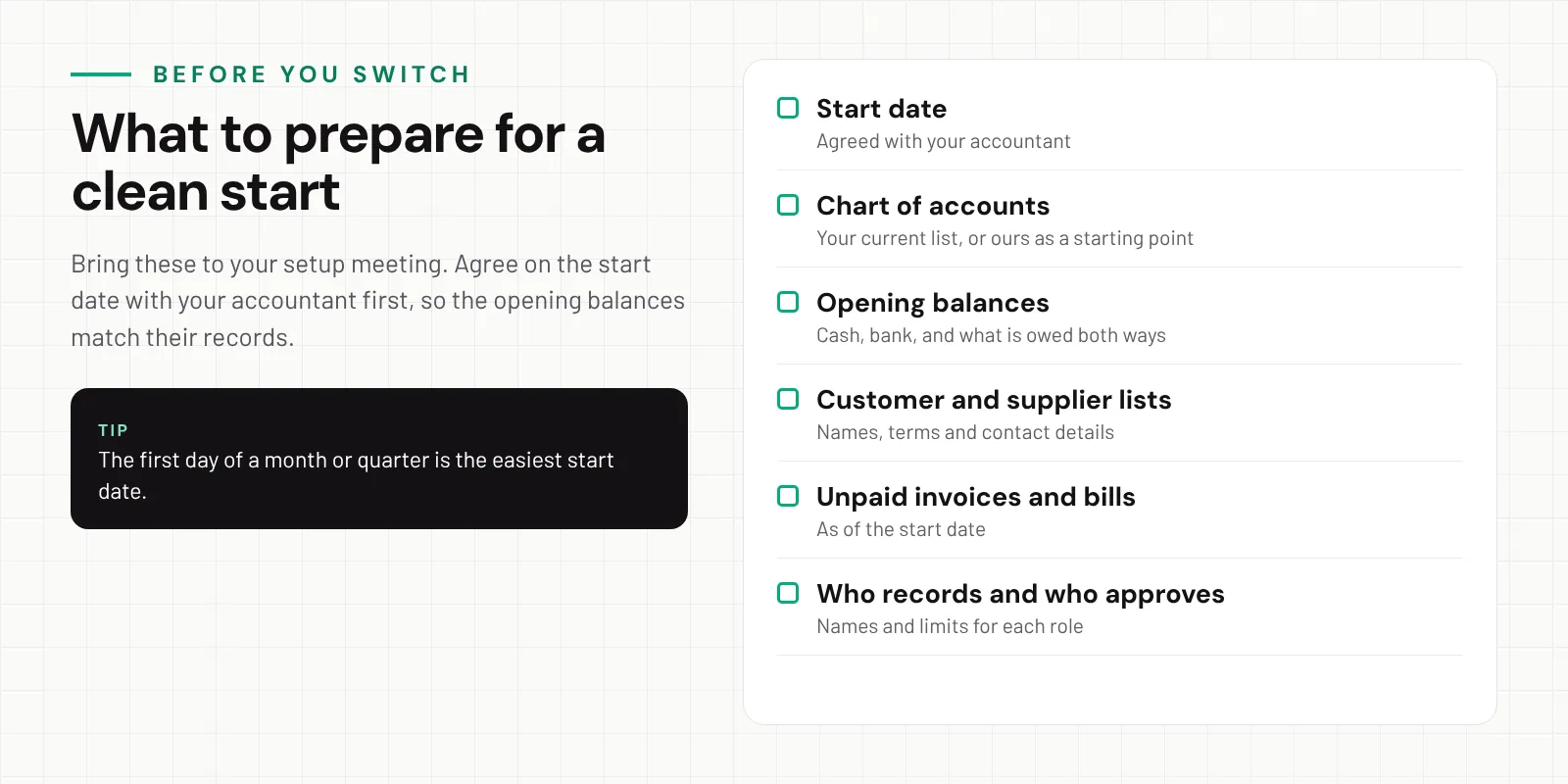
- Agree on a start date with your accountant. The first day of a month or quarter is easiest.
- Set up your chart of accounts. This is the list of categories your money is sorted into, such as sales, rent and supplies. Use your accountant’s list or start from ours.
- Enter opening balances. Cash, bank, what customers owe you and what you owe suppliers, as of the start date.
- Load customers, suppliers and unpaid items. Bring open invoices and bills over so nothing falls through.
- Train and close the first month together. Review the first month-end with your team and your accountant before you retire the spreadsheet.
Why business owners trust RedCloudApp with their records
RedCloudApp is a business software team based in Davao City. Our online accounting system is built by the same team behind an inventory system that several companies have used in its offline version for almost 10 years, and our real estate system holds 15 years’ worth of records. We know that business records have to stay correct and available for a long time.
- Almost 10 yearsOur offline inventory system has been in real business use for almost a decade.
- 15 years of dataOur real estate system holds 15 years of records, still searchable.
- Your accountant involvedWe plan the setup and the first month-end with you and your accountant.
Questions to ask in any accounting software demo
- Can you show a sale, a supplier bill and a payment from start to finish?
- What does the owner’s summary screen look like on a phone?
- How are cash, card, GCash and bank transfers recorded?
- Who can approve expenses, and is there a change history?
- How does my accountant get access or exports?
- Does it connect to my POS or inventory? Can you confirm that in writing?
- Can I export all my records if I stop using the service?
See how our online accounting system for Philippine businesses is set up, or read how we handle payroll setup if salaries are part of your month-end work.
Frequently asked questions
What is an online accounting system?
It is accounting software that runs in a web browser and keeps your sales, expenses, bills and reports in one place online. You, your staff and your accountant work from the same numbers instead of passing spreadsheets back and forth.
Does an online accounting system replace my accountant?
No. It keeps your records organised and up to date so your accountant can review them faster. Your accountant still checks the books, makes adjustments and handles tax filing.
Is online accounting software BIR-compliant?
It depends on the software and on your business registration. Ask your accountant which BIR rules apply to the system and receipts you plan to use, and do not rely on a vendor’s general claim without that review.
What does automated accounting actually automate?
Mostly the retyping. A sale recorded once updates your totals, what customers owe and your reports. Recurring bills and reminders can also be set up. It does not decide how to classify unusual items or file your taxes.
When is the best time to switch from Excel?
At the start of a month or quarter, after agreeing on the start date with your accountant. That makes the opening balances easy to match with their records.
Can my bookkeeper or accountant log in?
Ask the vendor. With RedCloudApp, accountant or bookkeeper access is one of the setup questions we review with you, including what they can see and change.