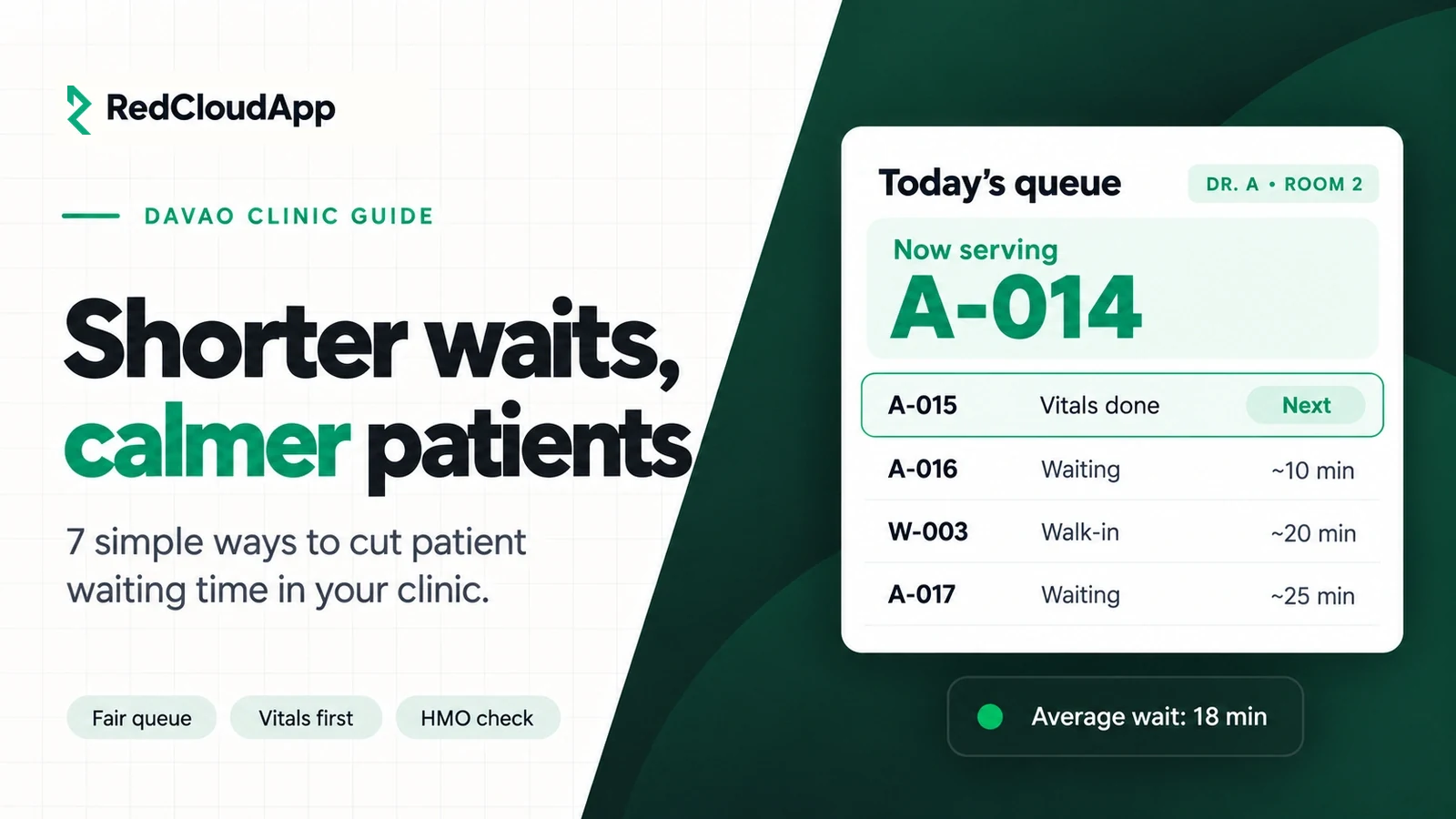
Patients in Davao don’t mind waiting a little. What they mind is not knowing. They arrive at 7 a.m., get a number on a scrap of paper, and sit for three hours without any idea when the doctor will see them. Some leave. Some post about it on Facebook.
This guide is for clinic owners, doctors and front desk staff in Davao City. It covers simple, practical ways to shorten patient waiting time and make the wait feel fair, with or without a clinic system.
Key takeaways
- Measure your wait first: write down arrival, call-in and finish times for one week.
- Separate walk-ins and appointments, but run them in one fair queue.
- Do registration and vitals before the patient’s turn, not during it.
- Show patients where they are in line.
- Prepare lab requests and HMO details early so checkout is fast.
Why clinic waits get long
Long waits are rarely about one slow doctor. They usually come from small delays that add up:
- Everyone arrives at the same time because the clinic opens at 8 a.m.
- Registration is done on paper, and old records take time to find.
- Vitals are taken inside the consultation room, eating into the doctor’s time.
- HMO approval is checked only at the end of the visit.
- Walk-ins and appointments are mixed without clear rules.
- Nobody knows the real average consultation time.
7 ways to cut waiting time
1. Measure one normal week
For one week, write down when each patient arrives, when they are called in and when they leave. You will quickly see your busiest hour and your real average consultation time. Everything else is easier once you have these numbers.
2. Spread out arrivals
If most patients come at opening time, give appointment patients time slots and ask walk-ins to come within a time window. Even a simple “AM” and “PM” batch helps.
3. Run one fair queue
Decide a clear rule, for example two appointments then one walk-in, and stick to it. Patients accept waiting when the rule is fair and visible.
4. Move registration and vitals forward
Returning patients should be found in seconds, not minutes. Take blood pressure, weight and temperature while the patient waits, so the doctor can start the consultation right away.
5. Show the queue
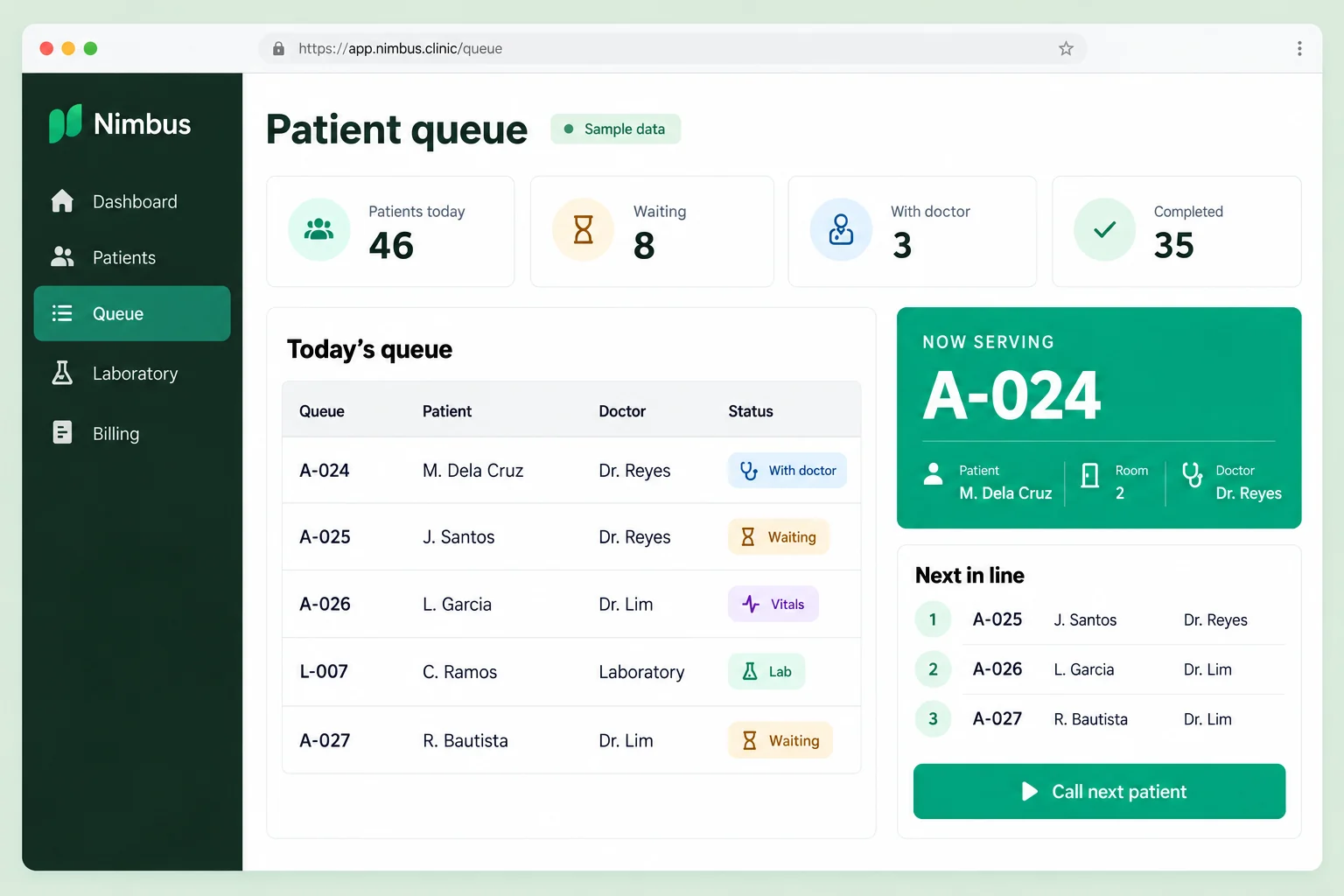
A screen or board that shows “Now serving A-014” lowers stress for everyone. Patients can step out for coffee and come back. Your front desk gets fewer “Am I next?” questions.
6. Check HMO details at registration
Confirm the patient’s HMO card and approval needs when they arrive, not after the consultation. This avoids a second wait at the cashier.
7. Keep lab requests and results moving
If your clinic has a lab, track each request from order to release. Patients waiting for results shouldn’t have to ask the front desk again and again.
Paper queue or clinic system?
| Item | Paper numbers and logbook | Clinic system with a queue |
|---|---|---|
| Finding old records | Search the shelf | Search by name in seconds |
| Queue for patients | Numbers called out loud | Numbers shown on a screen |
| Walk-ins and appointments | Handled by memory | Shown in one list with clear order |
| Daily report for the owner | Counted by hand at closing | Ready at the end of the day |
| Cost | Low | Monthly or one-time fee |
Small clinics can make a big difference with paper and good rules. Once you have more than one doctor, a lab or many HMO patients, a system usually saves more time than it costs.
A note on patient privacy
Patient names and health information are sensitive personal information under the Data Privacy Act of 2012. Don’t display full names on a public queue screen. Use queue numbers instead. If you use a system, ask where the data is stored and who can see it.
Where RedCloudApp Nimbus fits
RedCloudApp Nimbus is RedCloudApp’s clinic web app, built for clinics in Davao and the Philippines. It covers patient queueing, records, lab results, HMO billing and daily sales. Plans are coming soon and early-access requests are open. We confirm what is available for your clinic in your demo.
Want the full checklist for choosing clinic software? Read Clinic Management System in Davao: What to Look For, or see clinic systems in Davao.
Frequently asked questions
What is a normal waiting time at a clinic?
It depends on your specialty and patient load, so measure your own first. Many patients accept 30 to 60 minutes if they can see where they are in line. Waits of two to three hours with no updates are what drive patients away.
Can a small clinic improve waiting time without software?
Yes. Spread out arrival times, set a clear walk-in rule, take vitals while patients wait and check HMO cards at registration. These steps cost nothing. A system helps once you have more doctors or more patients.
Should we show patient names on the queue screen?
No. Use queue numbers. Patient names and health details are sensitive personal information under the Data Privacy Act of 2012.
How do we handle walk-ins and appointments together?
Pick a simple rule, such as two appointments then one walk-in, and post it at the front desk. A fair, visible rule keeps patients calm.
Is RedCloudApp Nimbus available now?
Plans are coming soon and early-access requests are open. Book a free meeting and we will show you the queue and confirm what is ready for your clinic.